


tech
AI Calorie Tracking in StepsApp: Snap, Say or Type What You Ate
Track calories in seconds: take a photo, say what you ate or type it. StepsApp shows calories eaten vs burned side by side.
By Andreas Dolinsek, CTO at StepsApp
Counting calories has always had one big problem: it’s boring. Search the database, pick the right entry, guess the grams, repeat for every ingredient. Most people give up after three days.
So we built AI calorie tracking right into StepsApp. Take a photo of your plate, say what you ate, or just type it. The AI does the rest. And because StepsApp already knows how much you moved, you finally see calories eaten and calories burned side by side.
AI calorie tracking is part of StepsApp Ultra, our top tier, and available on iPhone for now.
Why we built it
StepsApp has shown your burned calories for years. Every step, every walk, all of it adds up.
But that’s only half of the story. Whether you want to lose weight, keep it or just eat a bit better, what goes in matters just as much as what goes out. And for most of you, that other half lived in a different app. Or nowhere.
We wanted both halves in one place. And we wanted logging a meal to take seconds, not minutes.
Three ways to log a meal
Tap Calories on your home screen and pick whatever is easiest right now.
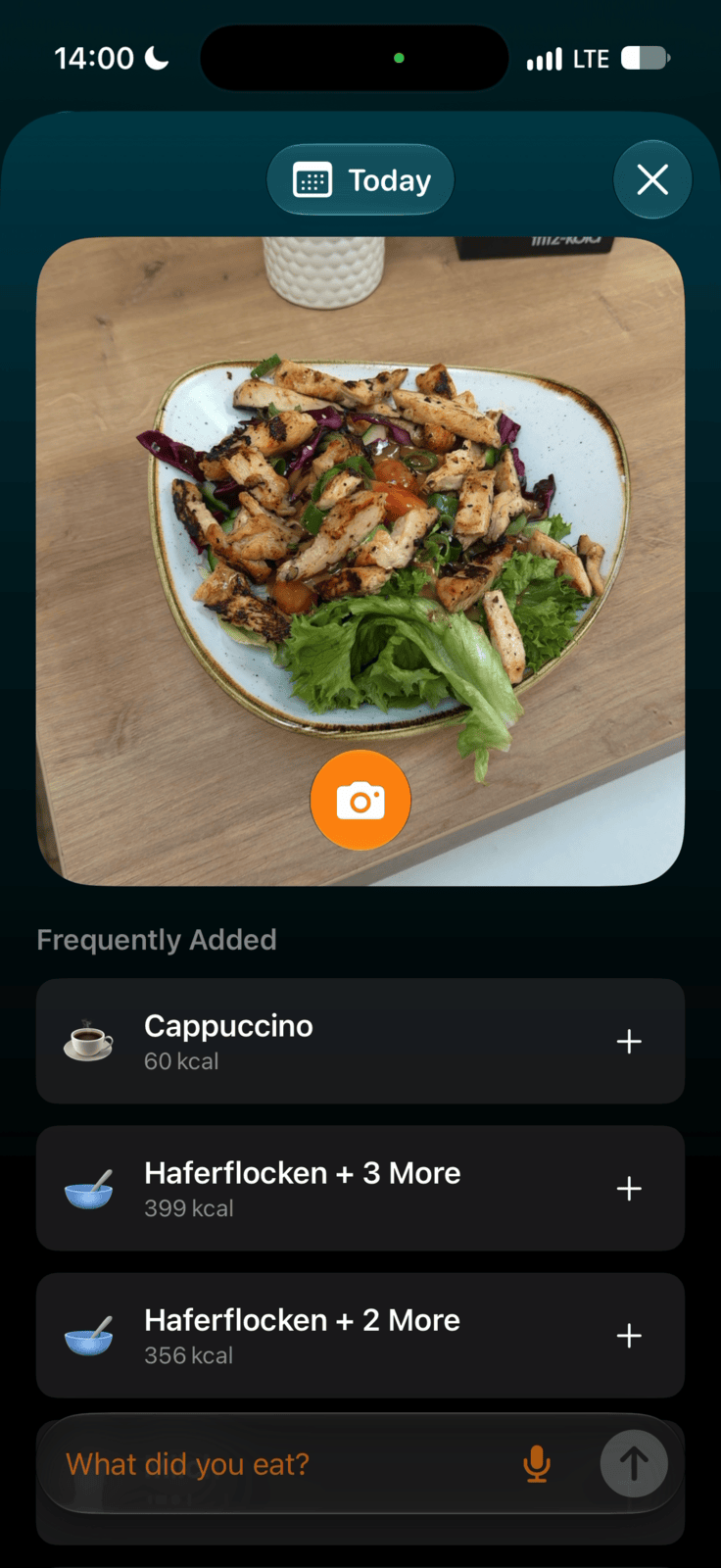
- Take a photo. Point your camera at your plate and snap. The AI recognizes what’s on it, estimates the portions and calculates the calories.
- Say it. Tap the microphone and talk: “a cappuccino and a croissant”. Great when your hands are full or your food is already gone.
- Type it. “Oatmeal with banana and some honey.” That’s enough.
Things you eat often show up under Frequently Added, so your morning coffee is just one tap away.
You see exactly what the AI saw
This was important to us: no mystery number.
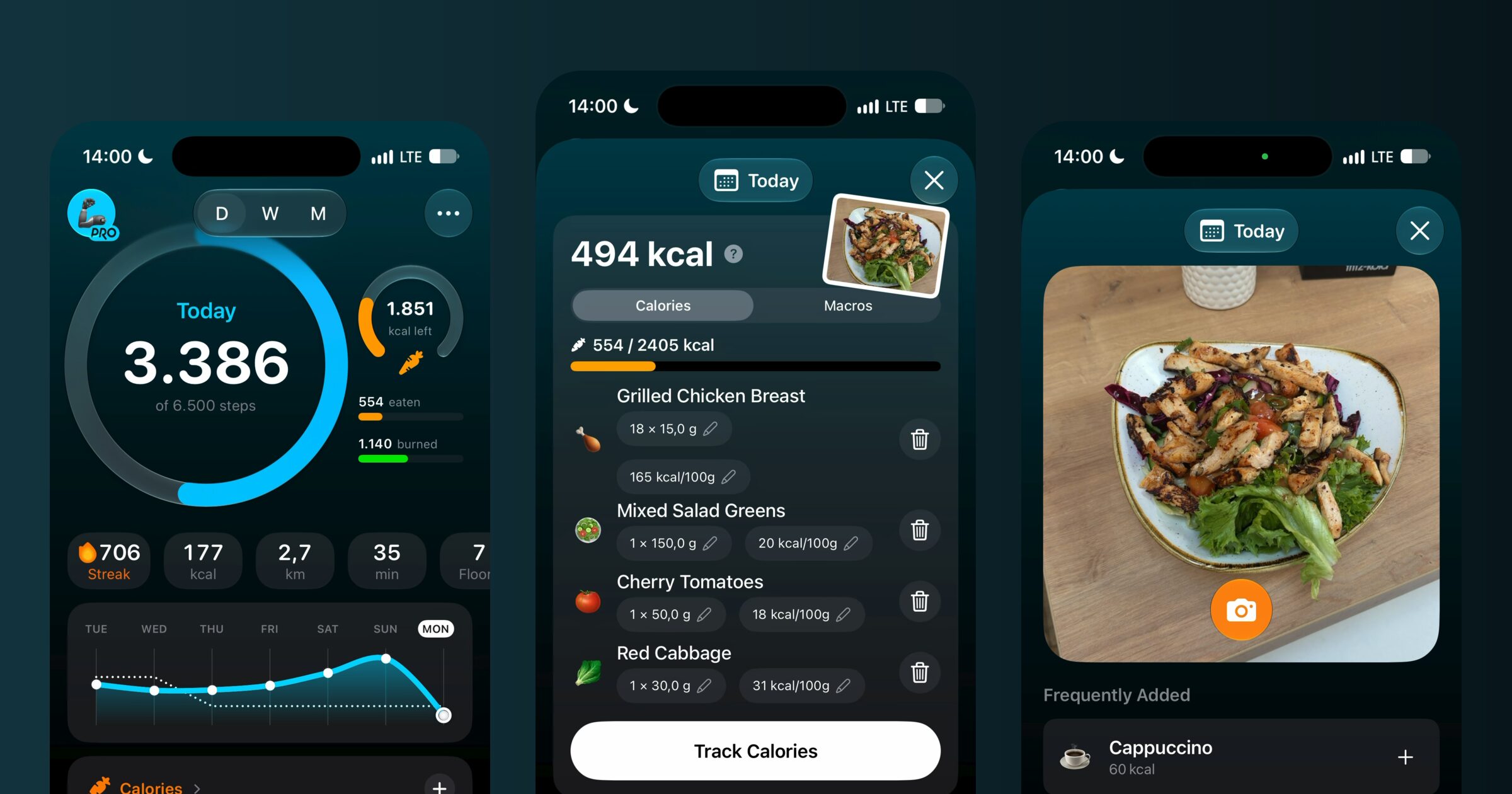
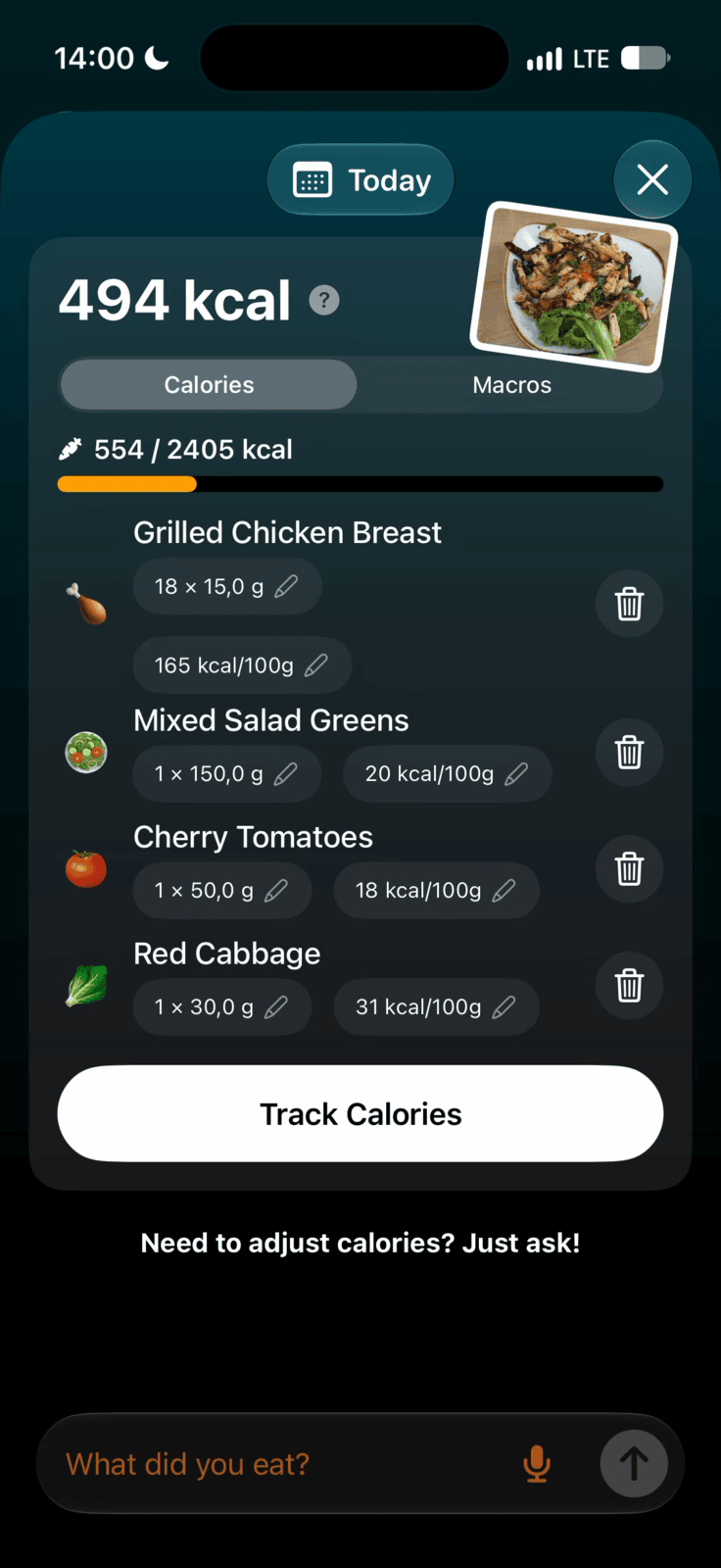
When I took a photo of my chicken salad, StepsApp didn’t just say “494 kcal”. It split the plate into grilled chicken breast, mixed salad greens, cherry tomatoes and red cabbage. Each with the amount in grams and the calories per 100 g.
If something is off, you fix it. Tap a value and change it, or delete an ingredient you didn’t eat. Or just tell it: “the dressing was on the side” or “it was a bigger portion”. As the app says: need to adjust calories? Just ask!
Want more detail? Switch to Macros and you see protein, carbs and fat too.
Photos of food are hard, even for an AI. Sauces, oil and hidden ingredients don’t always show up on a picture. Treat the numbers as a good estimate, and correct them when you know better.
Calories burned vs. consumed
This is the part I like most.
Back on your home screen, right next to your steps, you now see your calorie overview: how much you’ve eaten, how much you’ve burned, and how many kcal are left for today.
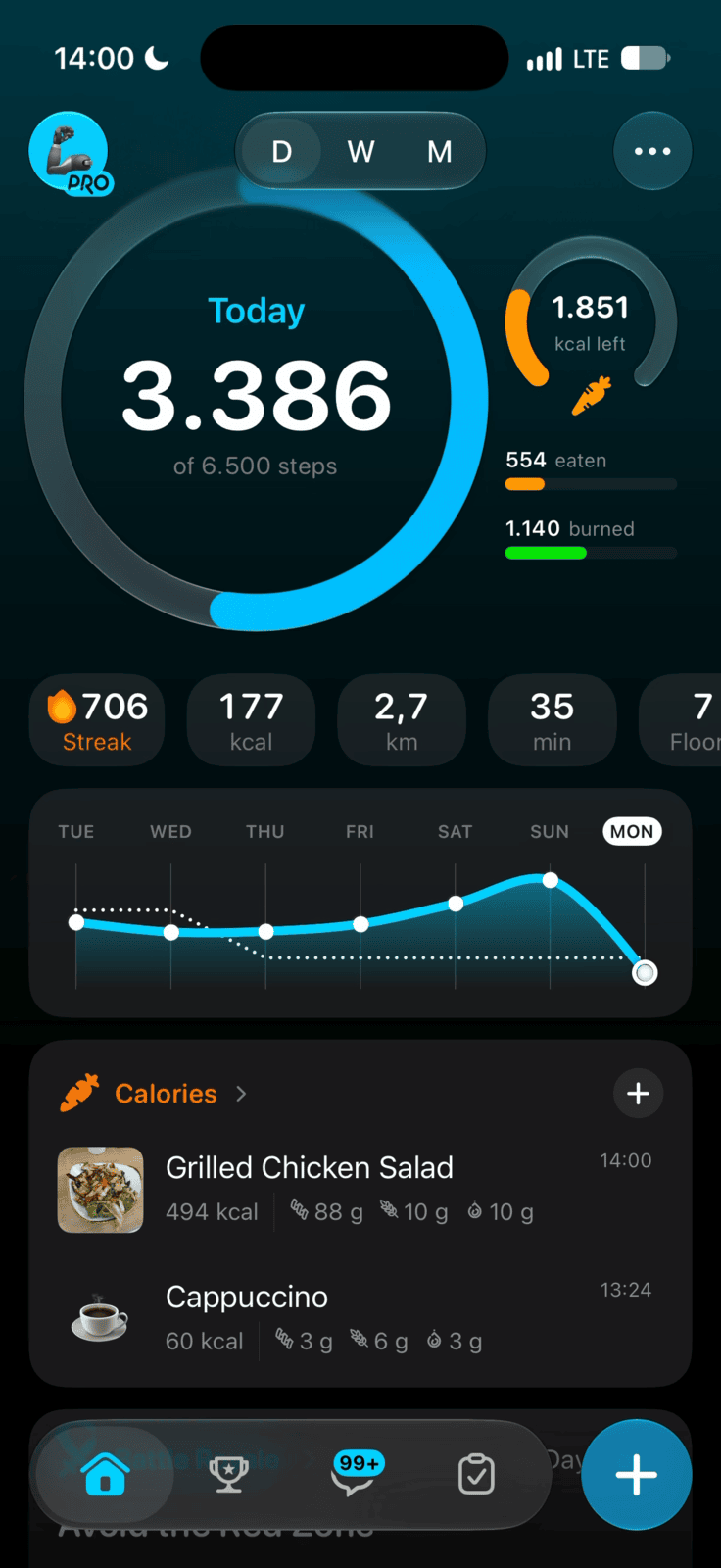
It changes how you look at a walk. That afternoon stroll isn’t just 3,000 more steps anymore. You can see what it means next to the cookie you had with your coffee. No guilt, just a clear picture.
If you want to know more about how StepsApp estimates the burned side, we wrote about that in How many calories does walking burn?
See it in action
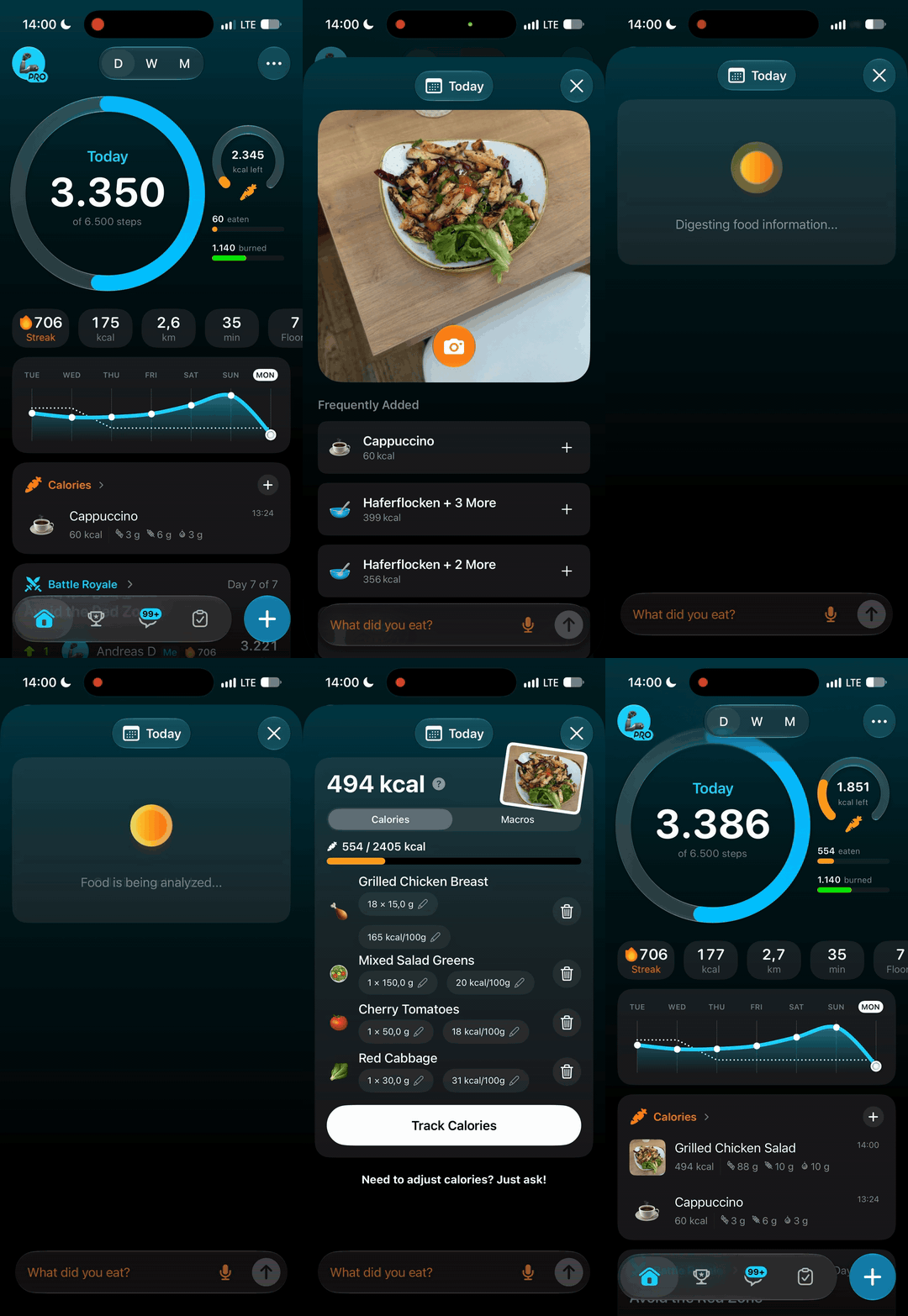
From photo to logged meal in about 15 seconds. That’s the whole point.
Steps and food in one place
StepsApp started with steps. Then came challenges, groups, Bio-Age. Now food.
We’re not trying to become a strict diet app. You won’t get red warnings or a lecture about your pizza. We just want you to see both sides: what you move and what you eat. What you do with that is up to you.
Calorie tracking is a wellness feature, not medical advice. If you have specific dietary needs, talk to your doctor or a dietitian.
Part of StepsApp Ultra
AI calorie tracking comes with StepsApp Ultra. Every photo, voice note and text you log is analyzed by an AI model, and that’s what Ultra covers.
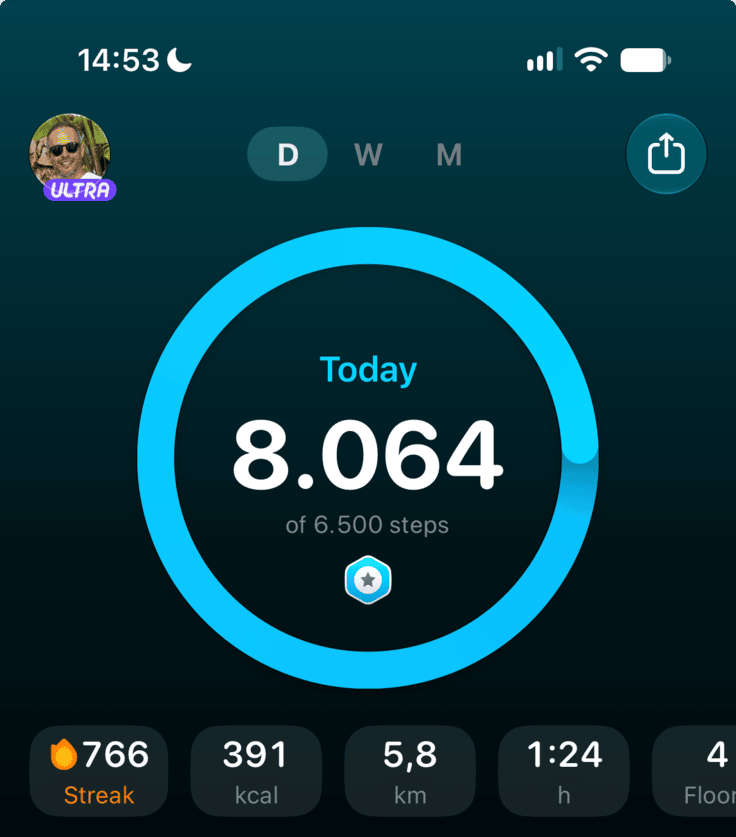
You’ll know you’re on Ultra when you see the purple badge on your profile picture.
Try it
Track your first meal in StepsApp →
Bon appétit, and then go for a walk.
Andi